Why AI Character Consistency Is the Biggest Problem Nobody's Solved Yet
AI video tools promise consistent characters across scenes, but real testing across four platforms shows the problem is far from solved in 2026 — here's what actually helps.

Umer Khan has spent the last two years building and testing AI-assisted content workflows for YouTube, from scripting to 2D animation. He writes about what actually works in AI video production including the parts that don't.
Ask anyone selling an AI video tool and they'll tell you character consistency is solved. Ask anyone actually using one for more than three scenes, and you'll get a different answer.
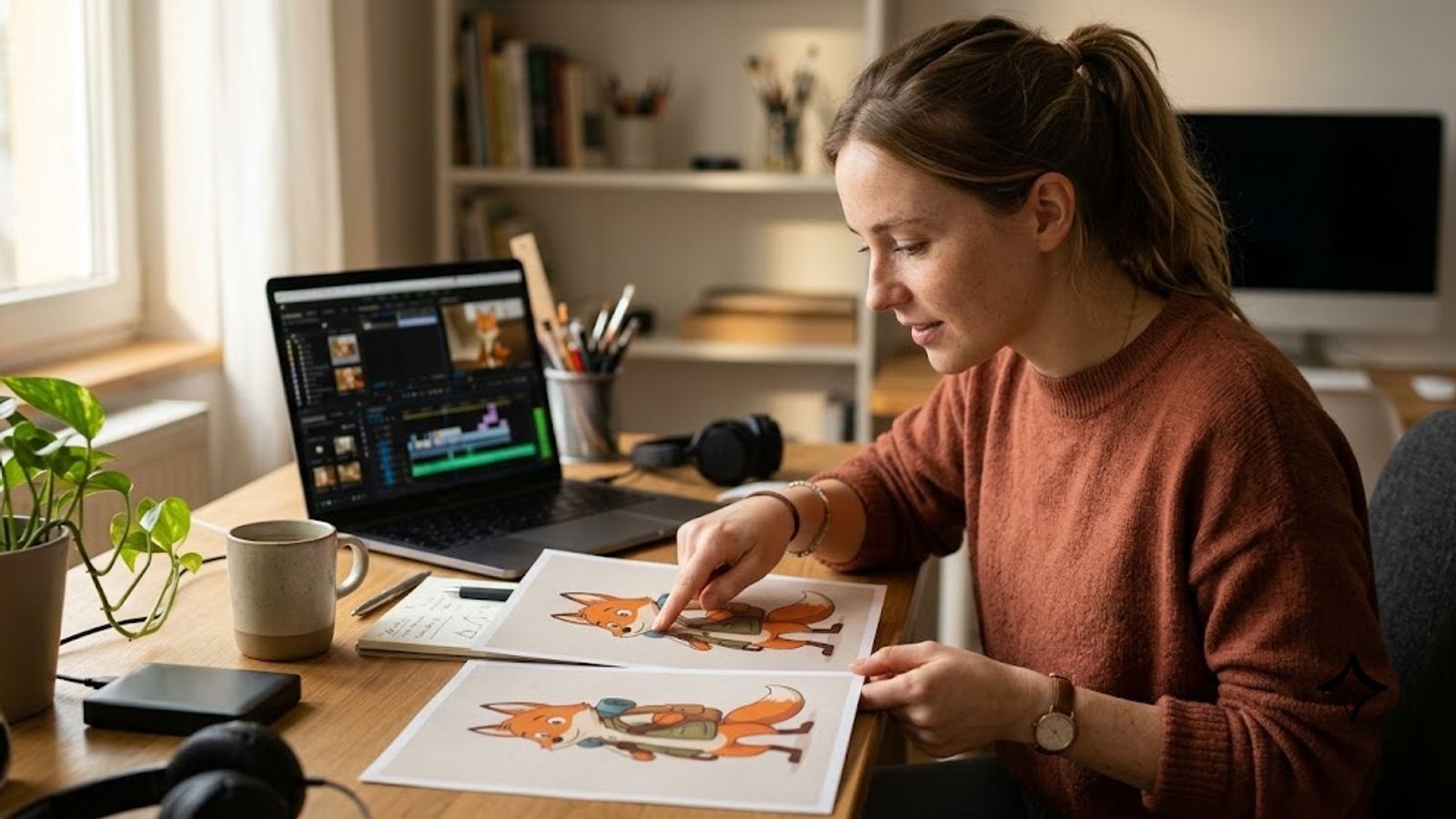
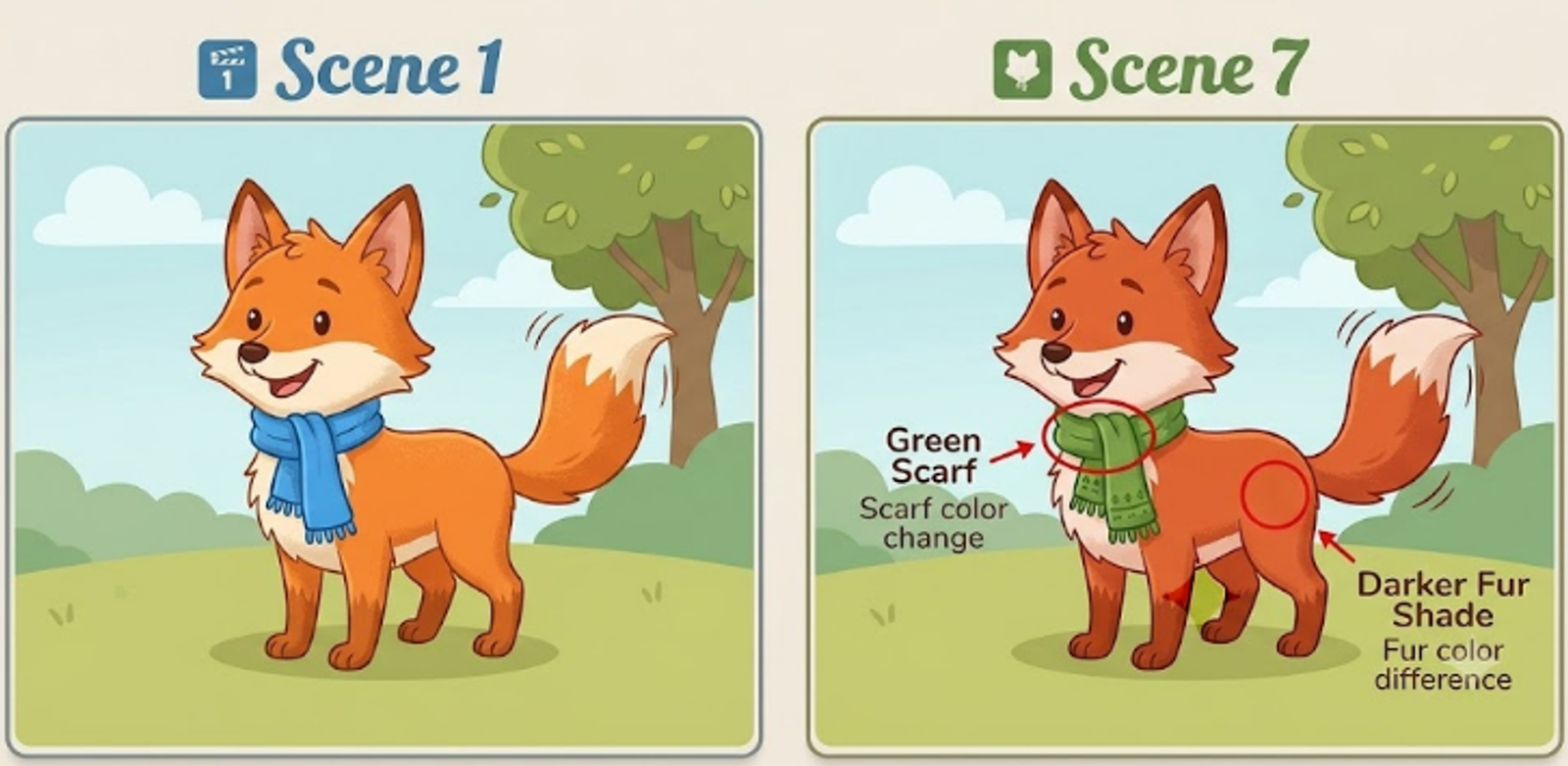
I've hit this wall on nearly every animation project I've shipped this year. A character looks perfect in scene one. By scene four, the jawline's slightly off. By scene seven, the shirt color has quietly shifted. Nobody flags it in a demo reel because demo reels show one perfect scene, not a full video.
This is that full-video reality.
1. What "Character Consistency" Actually Means
Not the same as "good looking." A single AI-generated frame can look flawless and still fail consistency the moment you need that same character in the next shot.
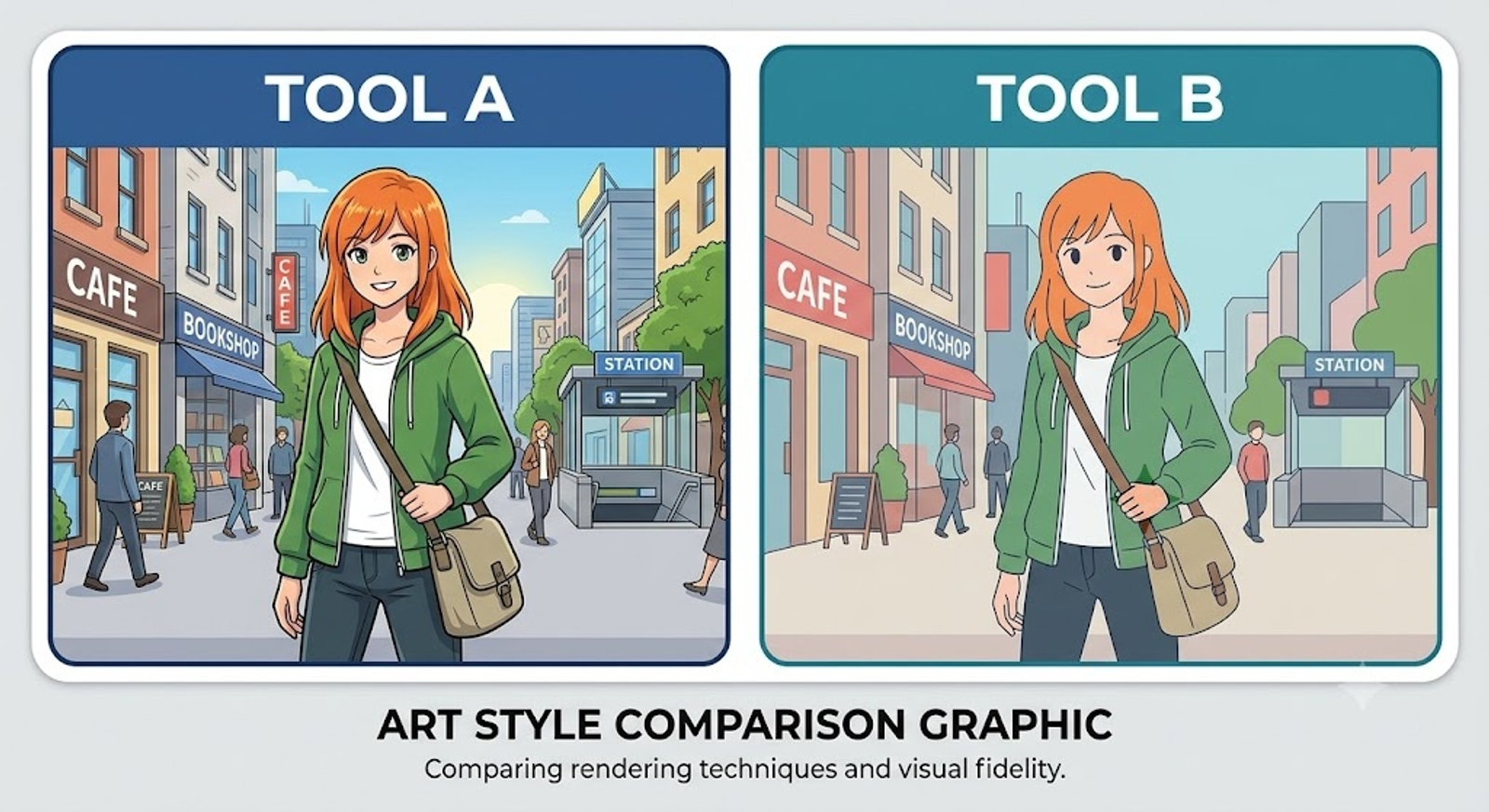
Consistency means the face, proportions, outfit, and art style all hold steady across dozens of separate generations — each one technically a new image, asked to look like it belongs to the last one. That's the part most tools quietly struggle with once you go past two or three scenes.
2. Where It Breaks — Tool by Tool
I've tested this across four different platforms on real project work, not staged demos.
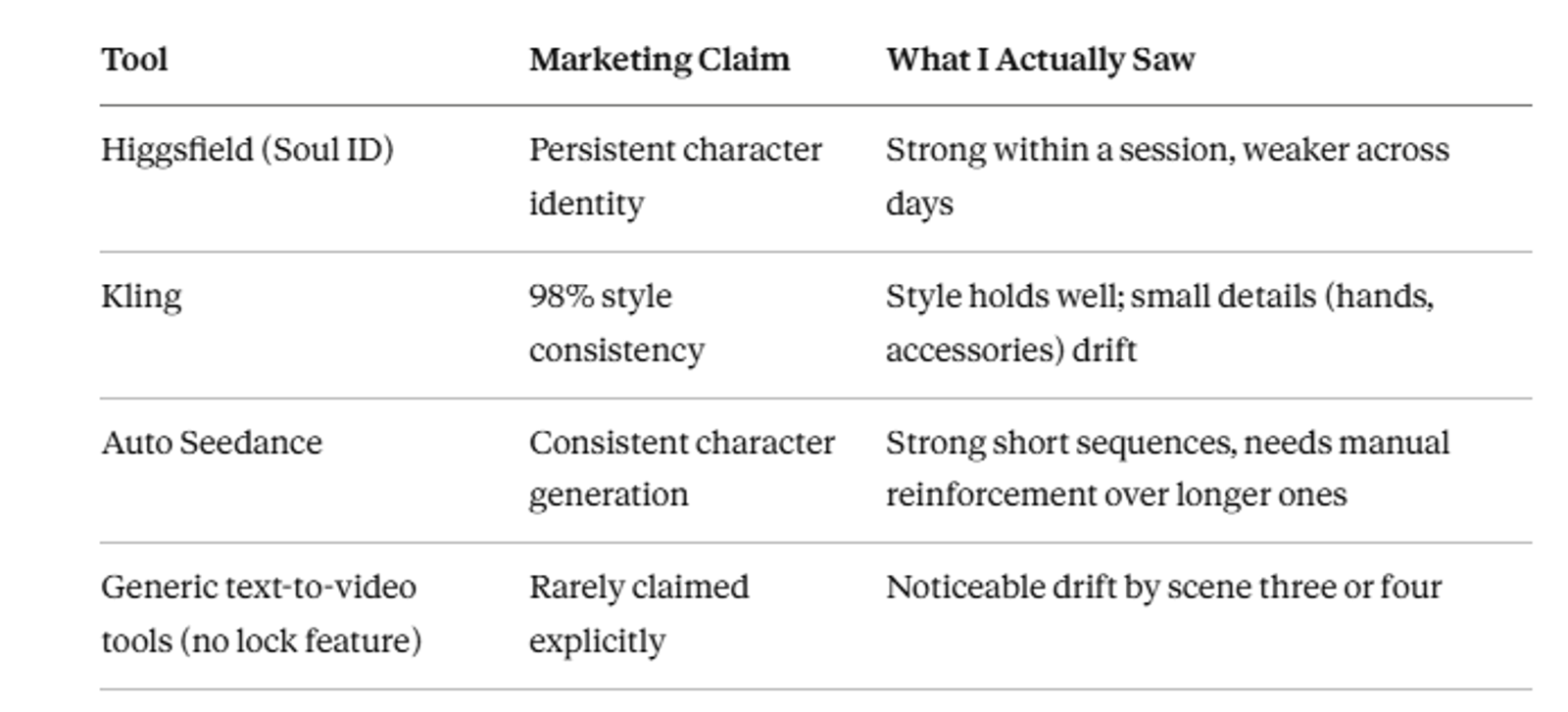
Higgsfield's Soul ID is genuinely one of the better attempts at this — it's built specifically to lock a face across generations. But in my own sessions, identity held well within a single project session and got shakier the moment I came back a day later and tried to continue the same character.
Kling claims something close to full style-locking for anime-style output, and stylistically it does hold up well scene to scene. Where I noticed slippage was in smaller details — hand poses, accessory placement — the kind of thing a viewer feels is "off" without immediately knowing why.
Auto Seedance, the tool I built and use daily, handles this the way most image-to-video tools in this space currently do: strong within a tight generation sequence, and needing manual prompt reinforcement (re-describing the character's exact features each time) the further apart the scenes get. I'm not going to oversell this. It's a real limitation, not a solved problem, for us just as much as for anyone else on this list.
Descript and Opus Clip aren't generation tools at all here, so this section doesn't apply to them — worth noting since not every tool in a creator's stack is even trying to solve this.
3. Why This Is Harder Than It Looks
Each generation is, technically, a fresh image built from a prompt and some reference signal. There's no persistent "memory" of the character the way a hand-drawn animator would carry a character sheet from scene to scene. Reference images and identity-locking features approximate that memory. They don't replace it.
And the more scenes you generate, the more chances there are for small drift to compound. One shift in scene three barely registers. By scene ten, small shifts have stacked into a character who's noticeably drifted from where they started.
5. Comparison: Consistency Claims vs Real Output
Common Mistakes Creators Make
- Judging a tool's consistency from one polished demo clip instead of a full multi-scene project
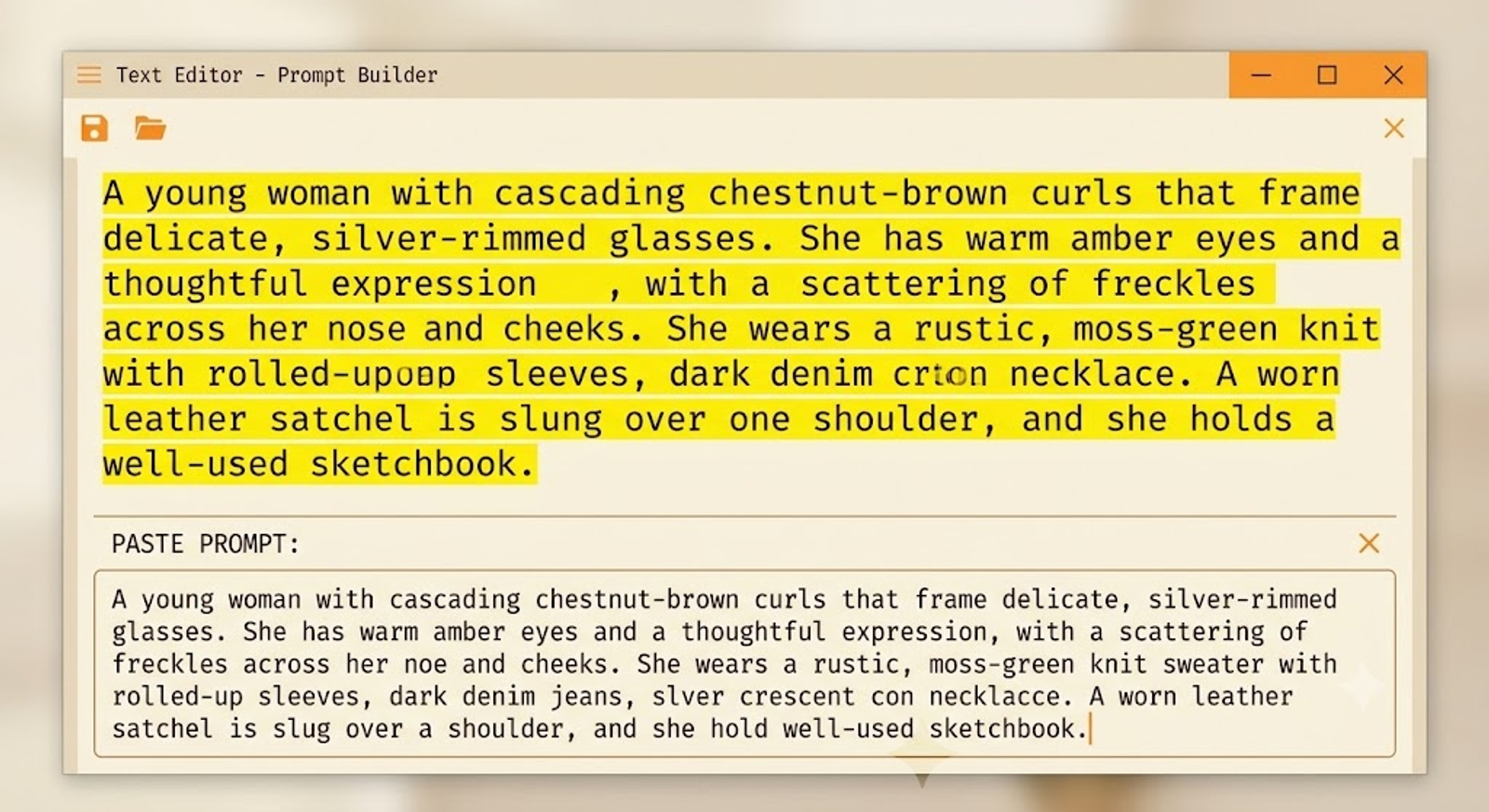
- Rewriting the character description slightly differently in every prompt instead of reusing one locked block
- Not reviewing mid-project scenes, only checking the first and last
- Assuming an identity-lock feature means zero manual correction is needed
Who Should Worry About This
This matters a lot for: recurring animated characters, branded mascots, any series meant to run more than a handful of episodes with the same face.
This matters less for: one-off explainer videos, single-scene social clips, or content where a slightly different-looking character in scene four isn't going to break anything for the viewer.
Final Thoughts
Nobody selling these tools wants to lead with "this still breaks past scene five." But it does, across every tool I've actually tested this on — including my own.
The honest fix, for now, is process. Lock the description early. Check the middle scenes, not just the ends. Treat identity-lock features as a head start, not a finish line.
Key Takeaways
- Character consistency claims hold up well in single scenes and break down over longer sequences on nearly every tool tested
- Higgsfield's Soul ID and Kling's style-locking are genuinely better than average, not a full fix
- A locked, reused character description block reduces drift more than any single tool feature
- Review scenes in the middle of a project, not just the first and last
- This is a real limitation for Auto Seedance too — not just competitor tools
Frequently Asked Questions
Is any AI tool fully solving character consistency in 2026?+
Not fully. Some, like Higgsfield's Soul ID and Kling's style-locking, handle it better than most, but drift still shows up over longer sequences.
Does re-describing the character every time actually help?+
Yes — reusing one locked, detailed description block across scenes reduces drift more reliably than a loosely rewritten prompt each time.
Does this affect short single-scene videos?+
Barely. The problem shows up specifically across multiple linked scenes, not isolated clips.
Is Auto Seedance better or worse than competitors at this?+
About on par — strong in tight sequences, with the same manual-reinforcement need as most tools in this category.
Keep reading
Suggested Related Articles
GPT-6 Sol vs Luna: What OpenAI's Pricing Table Actually Means
GPT-6 Sol and Luna launched September 2026 with a pricing table that confused much of Reddit on day one. Here's the real cost breakdown, the naming trap versus GPT-5.6, and which model actually fits your work.
How to Automate Product Video From Your Ecommerce Catalog With AI
AI product video automation actually works two different ways — generative AI and template-based pipelines. Here's the full workflow, which tools fit which job, and what goes wrong once you scale past a handful of products.
10 Best AI Video Generators for Faceless YouTube Channels in 2026 (Real Costs, Real Workflows)
We compared 10 AI video generators for faceless YouTube channels in 2026 — real creator-reported costs, an honest look at one-click vs. manual workflows, and which tool actually fits your format and budget, not just the highest-rated demo reel.
How to Use ChatGPT Images 2.5 for AI Photo Editing
The prompt structure that makes ChatGPT Images 2.5 editing work, plus Sketch, comments, templates, Flare vs Sunburst, pricing, and the real limits.