
How to Create 1980s-Style AI Images From Your Photos
The exact four-part prompt formula for a convincing 1980s AI photo — plus why faces distort, real privacy trade-offs, and the backlash nobody else is covering.

Umer Khan has spent the last two years building and testing AI-assisted content workflows for YouTube, from scripting to 2D animation. He writes about what actually works in AI video production including the parts that don't.
If you've seen your feed fill up with grainy, flash-lit "how would I look in the 80s" portraits this week, you're looking at one of the fastest-moving AI photo trends of the year. The good news: you don't need a designer, a photo studio, or a subscription to any single app to do it. You need one clear photo, and a prompt that tells the AI exactly what decade, camera, and scene to recreate — and, just as importantly, exactly what to leave alone.
This guide walks through the actual prompt structure that produces convincing 1980s photos (not a plastic "vintage filter" look), where people usually go wrong, and how to pick a tool without handing your face to a random website.
What is the 1980s AI photo trend?
The trend is simple: you upload a current photo of yourself, describe an 80s-era look in detail, and an image-generation model redraws the photo — new hairstyle, clothing, background, and film texture — while keeping your actual face recognizable. It's the same underlying idea as the AI action figure trend or "90s yearbook photo" trends, applied to a specific decade — it's one of several viral AI image trends built on the same upload-a-photo, get-a-styled-version pattern.
It's grown quickly because it's just a prompt — no app install and no editing skill required if you're using a model you already have access to, like ChatGPT or Gemini.
The four-part formula that actually works
Whichever tool you use, the prompts that consistently produce a believable 80s photo (rather than a cartoonish "sepia filter" photo) all include the same four ingredients:
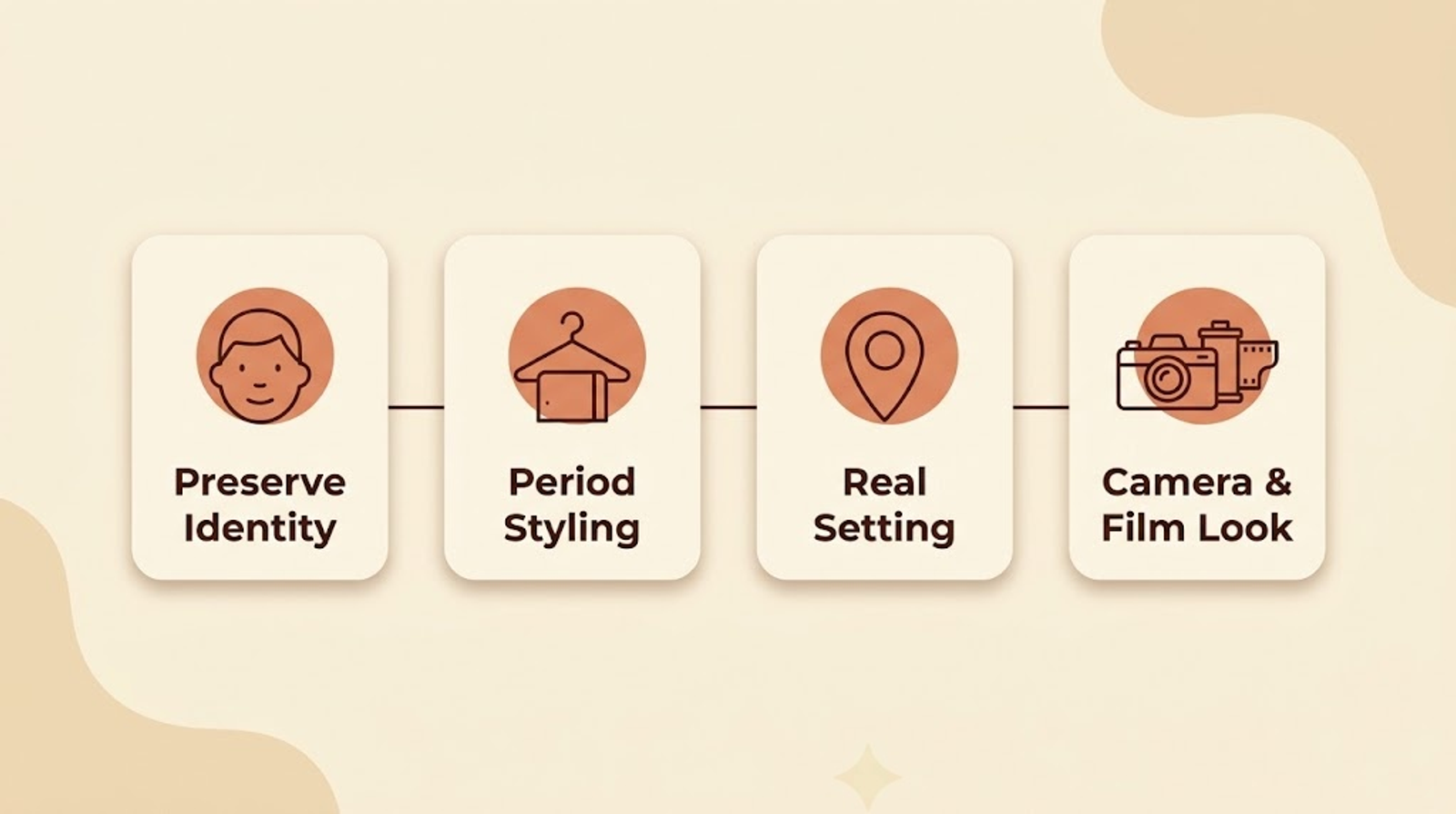
1. An identity-preservation instruction, stated first. Tell the model explicitly to keep your face, skin tone, facial structure, and expression unchanged. Skip this and most models will "reimagine" your face along with everything else — which is the single biggest complaint people have with this trend.
2. Period-accurate styling. Hair, clothing, and accessories specific to the early, mid, or late 80s — not a generic "retro" look. Being specific (permed hair vs. a mullet vs. a side part; a denim jacket vs. a shoulder-padded blazer) is what separates a convincing result from a costume-party one.
3. A real setting. A studio backdrop, a family living room, a street market, a college campus, a train platform — somewhere a photo from that decade would actually have been taken.
4. Camera and film characteristics. This is the detail most people skip, and it's what makes a photo look "printed in 1985" instead of "Instagram filter applied in 2026": 35mm film grain, slightly faded or warm color tones, direct on-camera flash or soft natural light, mild lens softness, and the imperfect framing of a real photograph rather than a hyper-sharp digital render.
Step-by-step: how to create your own 1980s AI photo
- Pick a clear, well-lit photo. A simple front-facing portrait or selfie works best. Group photos and side angles make it harder for the model to keep faces consistent.
- Open an AI tool that accepts image + text input. ChatGPT and Gemini both support this directly in a normal chat. Dedicated "80s photo" tools skip prompt-writing entirely by offering preset styles.
- Write (or select) a prompt using the four-part formula above. Start narrow — one clear look — rather than combining five ideas into one prompt.
- Generate a few variations. Identity consistency varies between generations even with the same prompt, so it's normal to run it 2–3 times and pick the best one.
- Check the details before you post it. Hands, ears, background text, and jewelry are where AI models most often slip up — check these before sharing publicly.
- Adjust and re-run if the face has drifted. If your face no longer looks like you, the fix is almost always to strengthen the preservation instruction and simplify everything else in the prompt, not to add more detail.
Prompt templates by look
These are written from scratch — adapt the bracketed details to your own photo and preferred decade sub-style.
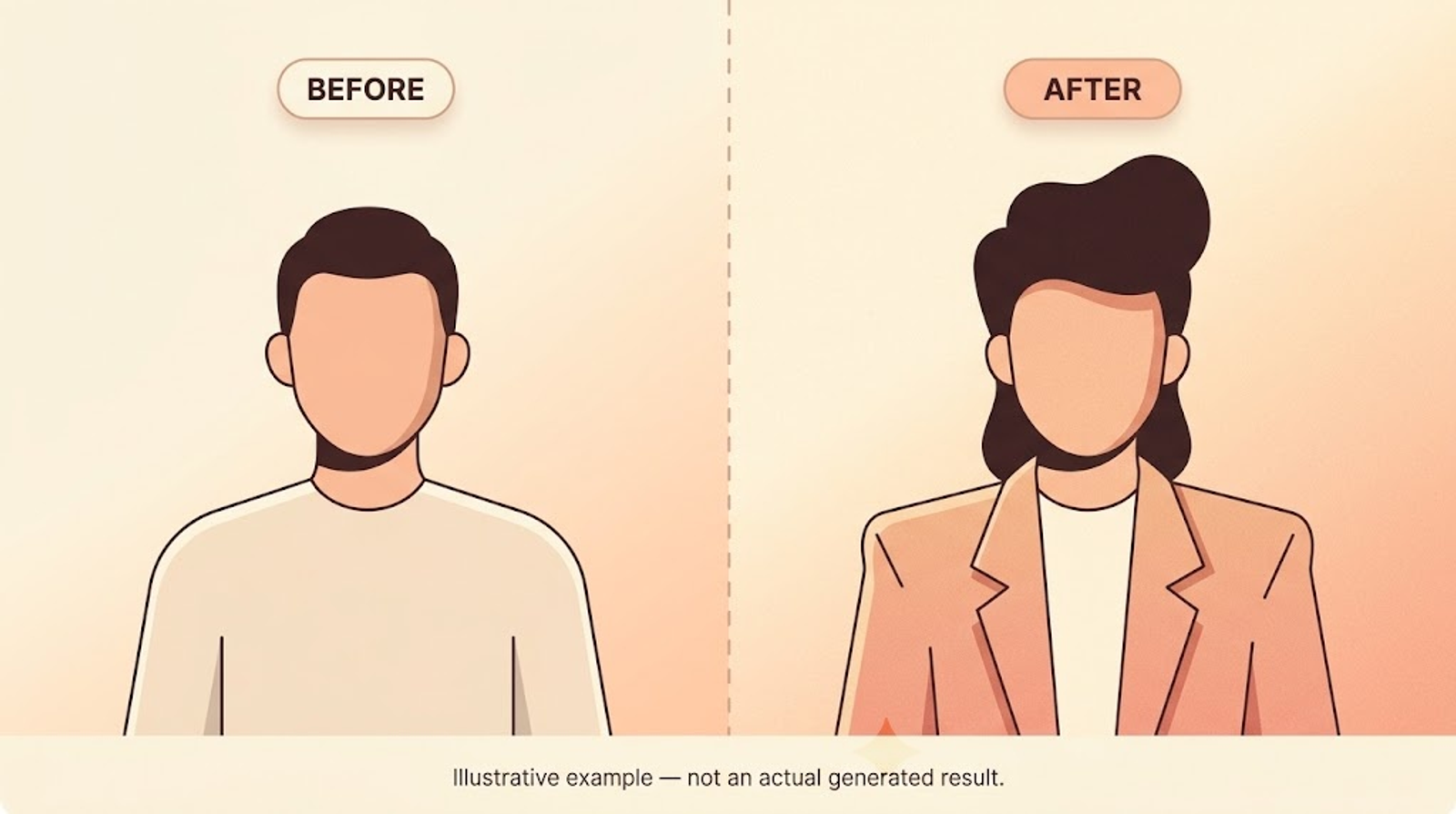
Classic studio portrait
Transform this photo into a 1980s studio portrait. Keep my face, skin tone, and natural expression exactly as uploaded. Style my hair and outfit for the [early/mid/late] 1980s, place me against a plain studio backdrop, and use soft portrait lighting with visible 35mm film grain, slightly faded color, and the natural imperfections of a printed photo. No modern lighting, filters, or digital sharpness.
Family album candid
Turn this photo into a candid 1980s family snapshot. Preserve my exact face and features. Dress me in period-appropriate casual clothing, and place me in a modest living room with period furniture, a table lamp, and an old television in the background. Use direct on-camera flash, slightly uneven exposure, and the warm, faded color of a real film print — not a polished modern photo.
Street or market candid
Recreate this photo as a 1980s street candid. Keep my face and identity unchanged. Give me period clothing and hairstyle, and place me on a busy street with period vehicles, hand-painted signage, and people dressed for the decade. Natural daylight, realistic shadows, muted film colors, and authentic analog grain — no modern vehicles, phones, or digital-looking effects.
Studio glamour / magazine-style
Convert this photo into a glamorous 1980s studio portrait suitable for a magazine cover. Preserve my exact face, skin tone, and identity. Add period-appropriate hair, styling, and confident posing, with dramatic studio lighting, rich but slightly faded film color, and visible 35mm grain. Avoid CGI smoothness or a modern beauty-filter look.
Why does my face come out looking different?
This is the most common complaint with the trend, and it comes down to one of three things:
- The prompt didn't ask the model to preserve identity. "Make me look like the 80s" gives the model permission to redesign your whole face. Explicitly naming what to keep unchanged fixes most of this.
- Too many changes requested at once. Asking for a new hairstyle, new clothing, new lighting, new background, and a new pose in one pass gives the model more room to drift. Simpler prompts hold identity better.
- Low-quality or heavily angled source photo. A blurry, dark, or extreme-angle photo gives the model less to work with, so it "fills in" more — which usually means less resemblance.
If a result comes out wrong, don't just add more adjectives — strip the prompt back to the identity line plus one or two style details, and rebuild from there. For a deeper look at why this happens across AI tools generally, see our breakdown of the AI character consistency problem.
ChatGPT and Gemini vs. dedicated 80s-photo tools
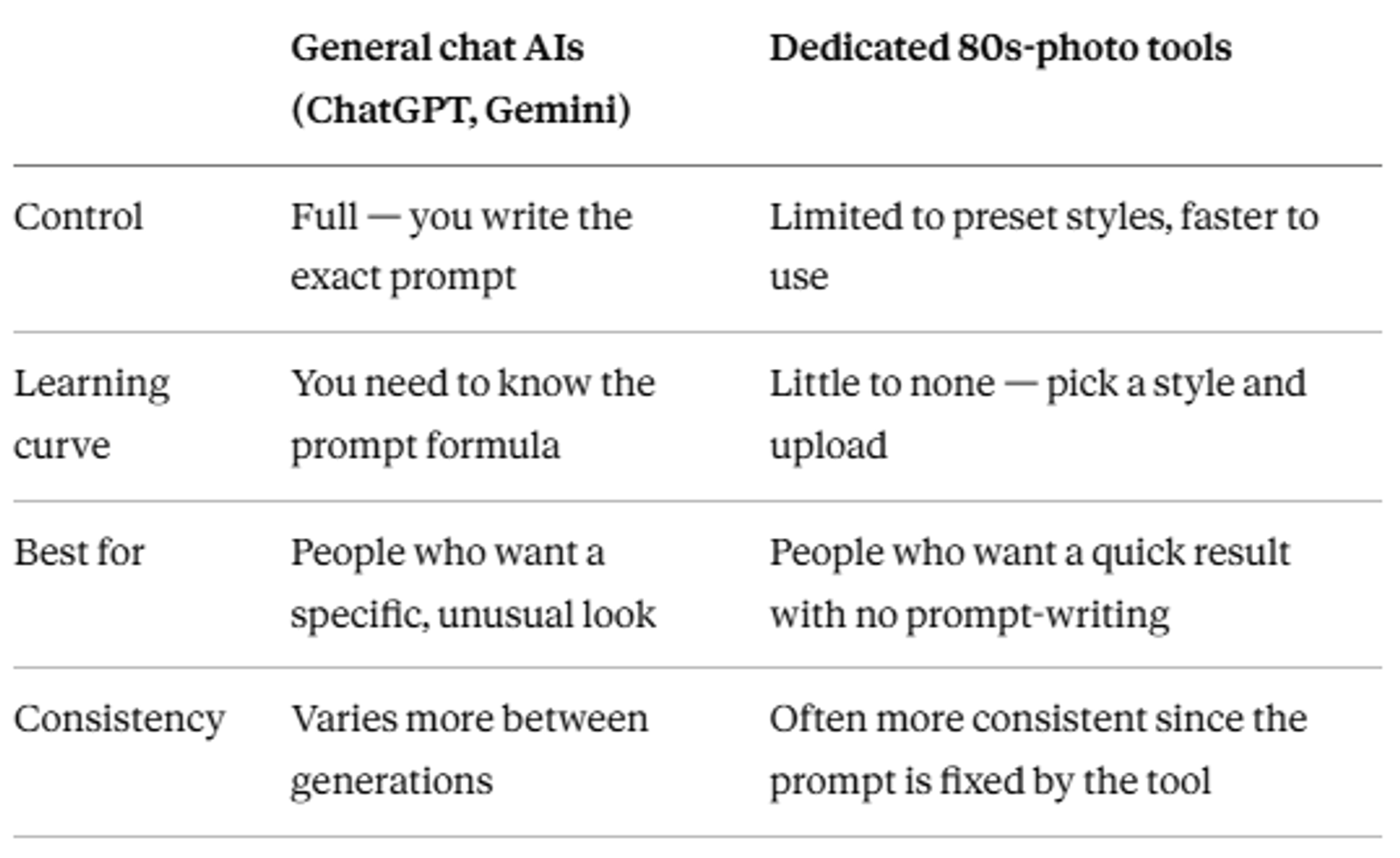
Neither is objectively "better" — it depends on whether you'd rather write a prompt once and reuse it, or upload and pick a preset.
Is it safe to upload your photo to these tools?
Before uploading a clear face photo anywhere, it's worth pausing for two questions:
- Does this tool state what happens to your photo after upload — is it deleted, stored, or potentially used to train future models? Reputable tools state this in their privacy policy; if you can't find it in under a minute, treat that as a signal.
- Would you be comfortable with this exact photo appearing somewhere else later? Free tools funded by ad impressions or "go viral" sharing features have less incentive to be careful with your data than a paid, privacy-stated product.
This isn't a reason to avoid the trend — it's a reason to prefer tools that are upfront about data handling, and to avoid uploading photos of other people without asking them first.
The backlash: not everyone is a fan
Every viral photo trend eventually gets a counter-reaction, and this one is no exception. Scrolling through the discussion on Reddit and elsewhere, three complaints come up repeatedly:
- "It's everywhere and it's repetitive." A common complaint is trend fatigue — people are tired of seeing the same look repeated across every story on their feed, and some feel it crowds out more personal, unedited posts.
- Environmental cost. Generating an AI image uses real compute, and by extension real energy and water for data centers. This has become a recurring objection to nearly every viral AI image trend, even though the exact per-image resource cost is debated and varies by model and provider — worth being accurate about rather than repeating a specific number as settled fact.
- Where does the photo actually go? This is the concern people raise most seriously: once you upload a clear face photo to a tool, you're trusting that platform's data policy. Several commenters pointed out that free trend-driven tools have less accountability than a paid product with a stated privacy policy — which lines up with the advice above: check before you upload, not after.
None of this means the trend is "bad" — plenty of people also find it fun, and that's a legitimate reason to try it too. But if you're writing about or building for this trend, it's worth acknowledging the real debate rather than only showing the flattering side, which is where most existing coverage stops.
Why the 80s actually looked so colorful
One detail that's easy to get wrong in a prompt: the 80s didn't just feel more colorful in memory — it largely was. Bright, saturated color was the dominant visual trend of the decade across clothing, advertising, and consumer products, partly because that's what was actually being manufactured and sold at the time, and partly because film photography and printing from that era rendered color differently than a modern digital photo does. The muted, neutral "clean minimal" aesthetic that feels normal today is a more recent shift — which is exactly why a washed-out, monochrome AI "80s" prompt reads as fake, and a saturated, warm-toned one reads as authentic.
If you want a period-accurate result, lean into color rather than away from it — this is one of the simplest, most overlooked levers for making a generated photo look like the 80s instead of just "old."
Common mistakes to avoid
- Writing a vague prompt ("make it look retro") instead of specifying decade, styling, setting, and film look separately.
- Forgetting the identity-preservation line entirely.
- Combining too many style ideas (studio and street and disco) into a single prompt.
- Skipping the check for distorted hands, ears, or background text before posting.
- Uploading a low-light or extreme-angle source photo and expecting a strong likeness.
Who this trend works well for — and who might skip it
It's a fun, low-effort way to see a stylized version of yourself for social posts, and it works with tools most people already have access to. It's a poor fit if you need a historically precise recreation (AI models approximate decade styling, they don't research it), or if you're not comfortable with a third-party tool processing a clear photo of your face — in which case, stick to a tool with a clearly stated privacy policy, or skip the trend.
Final thoughts
The difference between a convincing 1980s AI photo and a flat "filter" result almost always comes down to the prompt, not the tool. Say what to preserve, be specific about the decade and setting, and describe the film characteristics — grain, fade, flash, softness — that a phone camera simply doesn't produce. Start with one clear look, check the details, and adjust from there.
Key takeaways
- Preserve identity first, style second — reverse that order and the face drifts.
- Color accuracy (saturated, warm) reads as authentic; a washed-out look reads as fake.
- Check the tool's data policy before uploading a clear face photo, not after.
- If a result looks off, simplify the prompt before you switch tools.
Suggested related articles
Frequently Asked Questions
How do I make a photo look 80s?+
Describe the decade-specific hairstyle, clothing, and setting, then add camera details like 35mm film grain, slightly faded color, and direct flash or natural light — and explicitly ask the AI to keep your face unchanged.
How can I create an 80s-style vintage photo effect in Photoshop?+
Photoshop can approximate the look manually with grain filters, a warm/faded color grade, and a vignette, but it won't change your clothing, hair, or background the way an AI generation tool can — the two approaches solve different parts of the look.
How do I get a retro effect on photos?+
The same four-part formula applies to any decade: identity preservation, period styling, an appropriate setting, and the camera/film characteristics of that era.
How do I "AI" an old picture?+
If you mean restoring a real old photo (fixing damage, colorizing black-and-white), that's a different task from this trend — it uses restoration tools, not a style-transfer prompt.
Can AI make my photos look retro without changing my face?+
Yes, if the prompt explicitly asks for it. This is the single most important line in any prompt for this trend, and the most commonly forgotten one.
Is the 1980s AI photo trend the same on ChatGPT and Gemini?+
The core prompt structure works on both, but results vary between models. If a result doesn't look right, simplify the prompt rather than switching platforms first.
Is it bad to keep uploading my photo to AI trend apps?+
The trend itself isn't the issue — the tool's data handling is. Check whether the platform states that uploaded photos are deleted, stored, or used for model training, and treat a tool that doesn't answer this clearly as a reason to be cautious rather than a reason to avoid AI photo tools entirely.
Why were 80s photos so colorful compared to today?+
Bright, saturated color was the era's dominant fashion and design trend, and film photography from that period rendered color differently than modern digital cameras do. Today's more muted, minimal visual style is a comparatively recent shift — which is why an accurate 80s AI prompt should lean into color, not away from it.
Keep reading
Suggested Related Articles

GPT-6 Sol vs Luna: What OpenAI's Pricing Table Actually Means
GPT-6 Sol and Luna launched September 2026 with a pricing table that confused much of Reddit on day one. Here's the real cost breakdown, the naming trap versus GPT-5.6, and which model actually fits your work.

How to Automate Product Video From Your Ecommerce Catalog With AI
AI product video automation actually works two different ways — generative AI and template-based pipelines. Here's the full workflow, which tools fit which job, and what goes wrong once you scale past a handful of products.
10 Best AI Video Generators for Faceless YouTube Channels in 2026 (Real Costs, Real Workflows)
We compared 10 AI video generators for faceless YouTube channels in 2026 — real creator-reported costs, an honest look at one-click vs. manual workflows, and which tool actually fits your format and budget, not just the highest-rated demo reel.
How to Use ChatGPT Images 2.5 for AI Photo Editing
The prompt structure that makes ChatGPT Images 2.5 editing work, plus Sketch, comments, templates, Flare vs Sunburst, pricing, and the real limits.